- Description
- Specifications
- Shipping
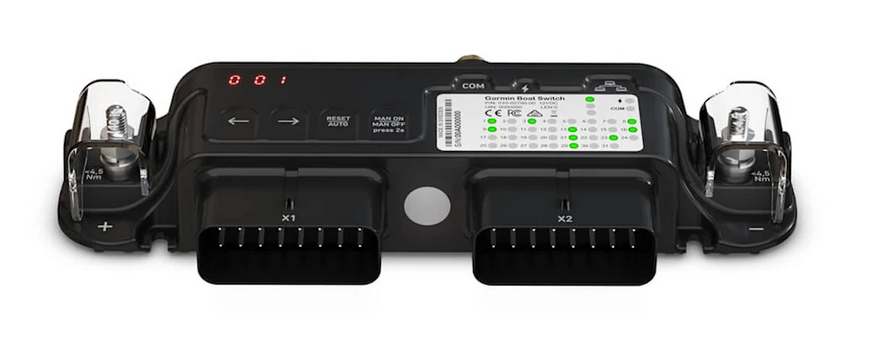
Garmin Boat Switch
Quality Switching. Simple Installation - Get the integrated boat experience with digital switching that allows you to operate onboard electrical functions right from your GPSMAP or ECHOMAP Chartplotter.Features:
- Reduce reliance on traditional switches and fuses. Add digital control and software current monitoring.
- Operate lights, pumps, horns, and more. Just tap your compatible chartplotter.
- Fill up or empty out? See levels in four tanks — such as fuel, freshwater, greywater, blackwater, and livewell.
- See system status. Monitor battery voltage, bilge pump operation, and more.
- Set it up your way. Position and name switch with the easy-to-use interface.
- Retrofit into your boat. It requires no special tools or configuration.
All-In-One
Replace existing two-element systems — fuse box and switches — for easier control and operation of onboard functions.
Digital Control
Get control and protection of up to 20 circuits via your chartplotter rather than a physical button or switch.
ON/OFF Switches
The toggle outputs operate the bilge pump and non-dimmable lights, such as nav lights and courtesy lights.
Dimmable Outputs
Press-and-hold dimmers let you set your preferred brightness on board.
Momentary Outputs
Control horns and more. Simply press and release for the desired length of the horn beep.
Livewell Timer
A built-in timer turns the pump to cycle the water to keep fish alive — and keep pumps functioning longer.
Monitor Tanks
Experience
built-in tank sender detection and calibration for as many as four
tanks, such as fuel, freshwater, graywater, blackwater, and livewell.
Additional Inputs
See analog voltages on house and start battery, monitor bilge pump operation, and connect optional physical switches.
Upgrade Your Boat
Retrofit
into existing boats without special tools or configuration by using the
included 18” flying leads and color-coded channel wires.
In The Box:
- Garmin Boat Switch
- Garmin Boat Switch Harness X1
- Garmin Boat Switch Harness X2
- Installation instructions